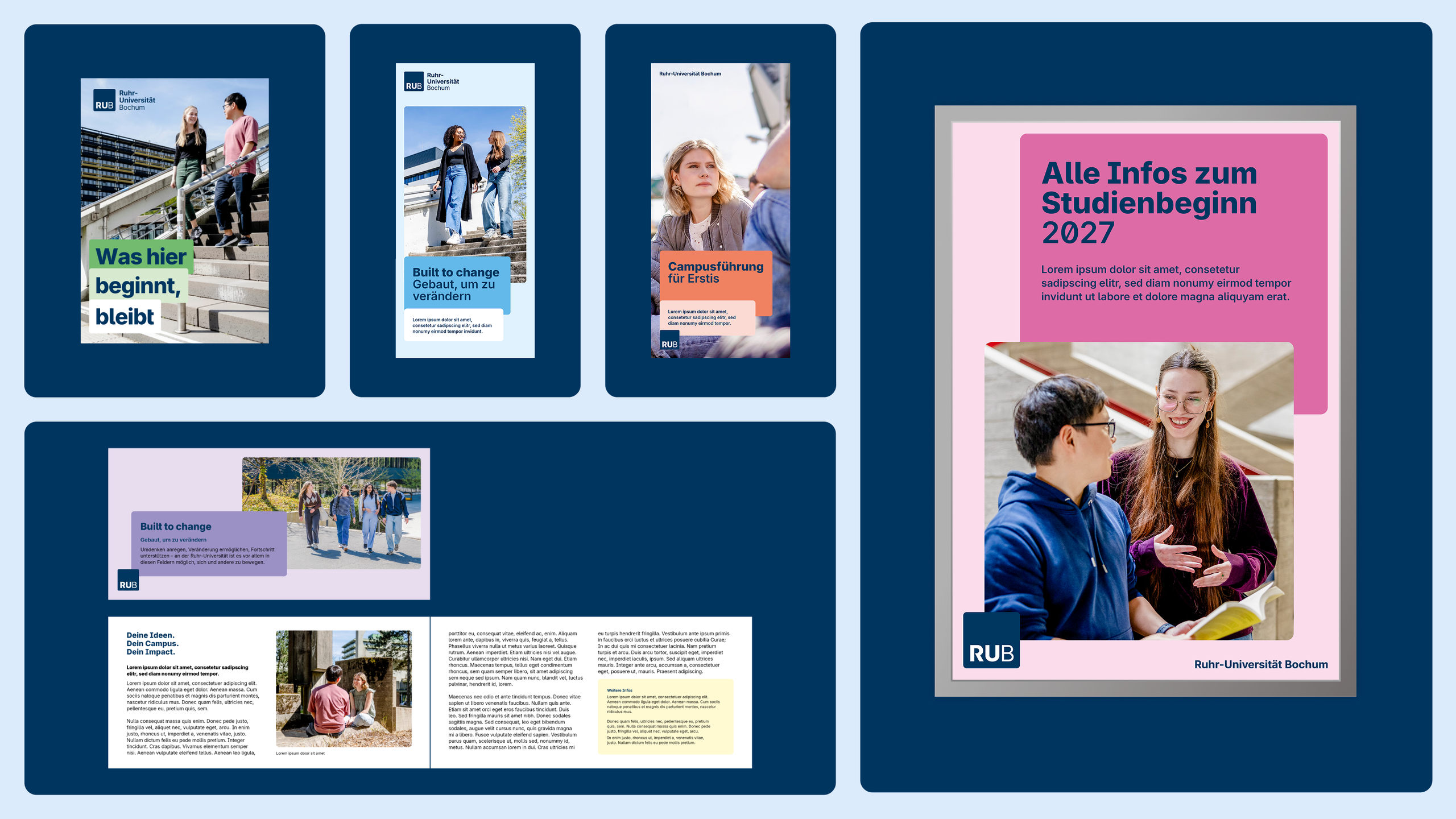
Graphic Design and Advertising
Graphic templates are available as InDesign files for posters, flyers, and postcards. The templates serve as a starting point and can be freely adapted and modified. Page layouts, spacing, and text styles are already set up.
When designing, we have the freedom to choose how we arrange graphic blocks. We can also choose any color scheme we like, depending on our needs, the theme, and the desired effect. For simplicity’s sake, the templates are designed using a light blue color scheme. Detailed information on spacing, corner radii, and design principles can be found in the Layout chapter.
For larger projects or campaigns, we recommend coordinating with the University Communications Office at cd@rub.de.
Poster
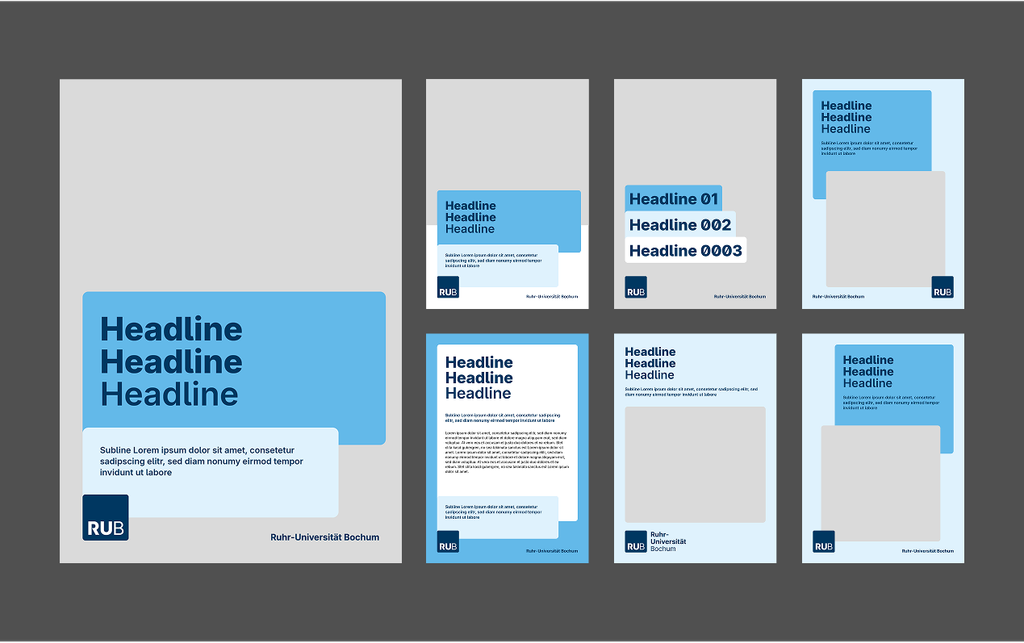
Templates are available as InDesign files in sizes ranging from A0 to A3. They are primarily intended for internal campus posters. The templates account for the border of clip frames—which is why the page margins are wider than those for other media.
For scientific posters, see the chapter on Scientific Posters.
Flyer
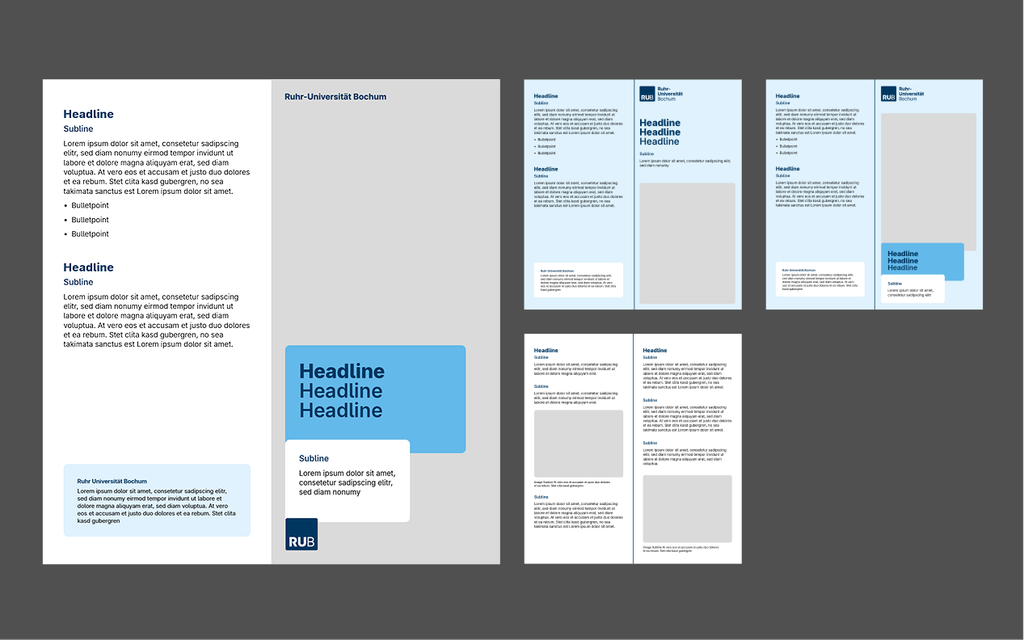
Templates are available as InDesign files in DIN long format (99 x 210 mm). Flyers are particularly well-suited for conveying information in a concise manner. The templates ensure a readable font size even when there is a lot of text.
Postcards
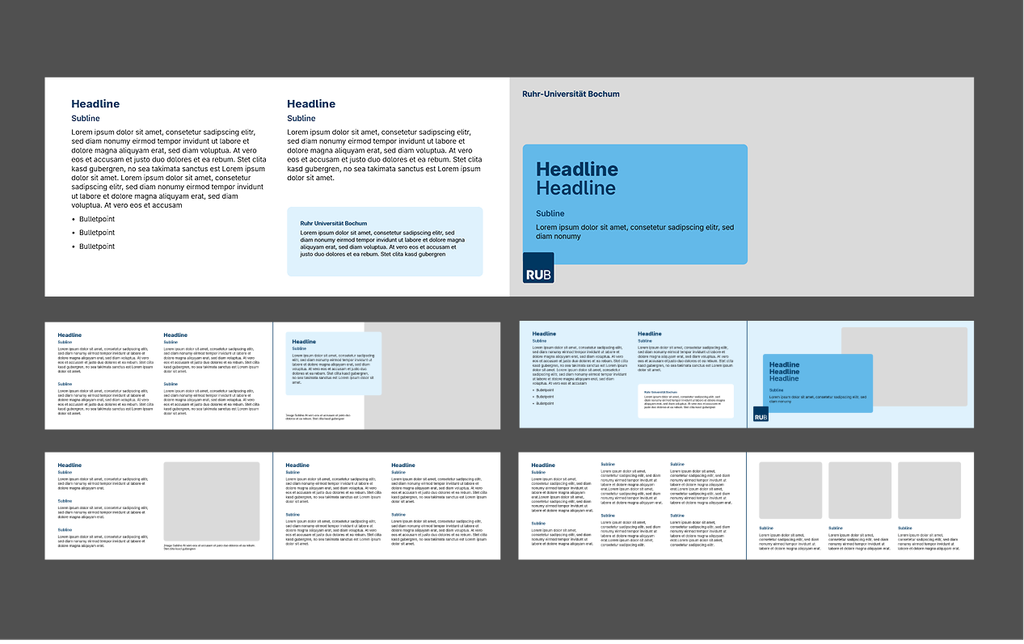
Templates are available as InDesign files in A6 format. Postcards are ideal for sharing concise information on campus.
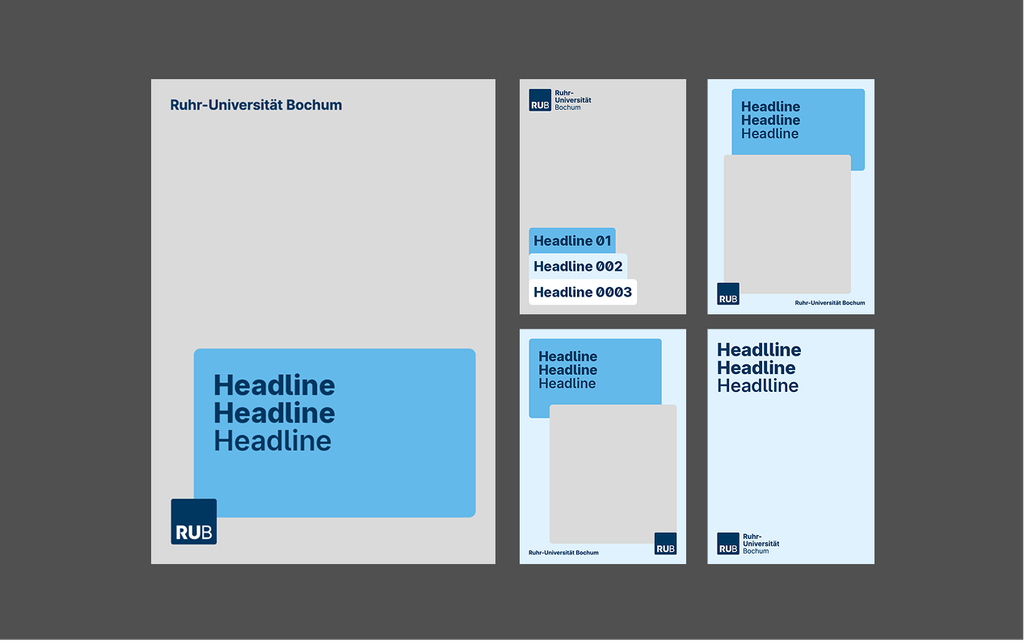
The templates are available as InDesign files (.indd) and as PDFs. Adobe InDesign or Adobe Acrobat is required to edit them. If neither program is available, you can use the Word templates in the Documents section instead.
Community Templates
Community Templates: We have set up a chat and a project folder for sharing templates with other programs. You can share templates you’ve created yourself here.
Note: These templates are not official and are not reviewed by the University Communications Office.
Go to the Chat section (university login credentials required)

Design Examples