
Web Design
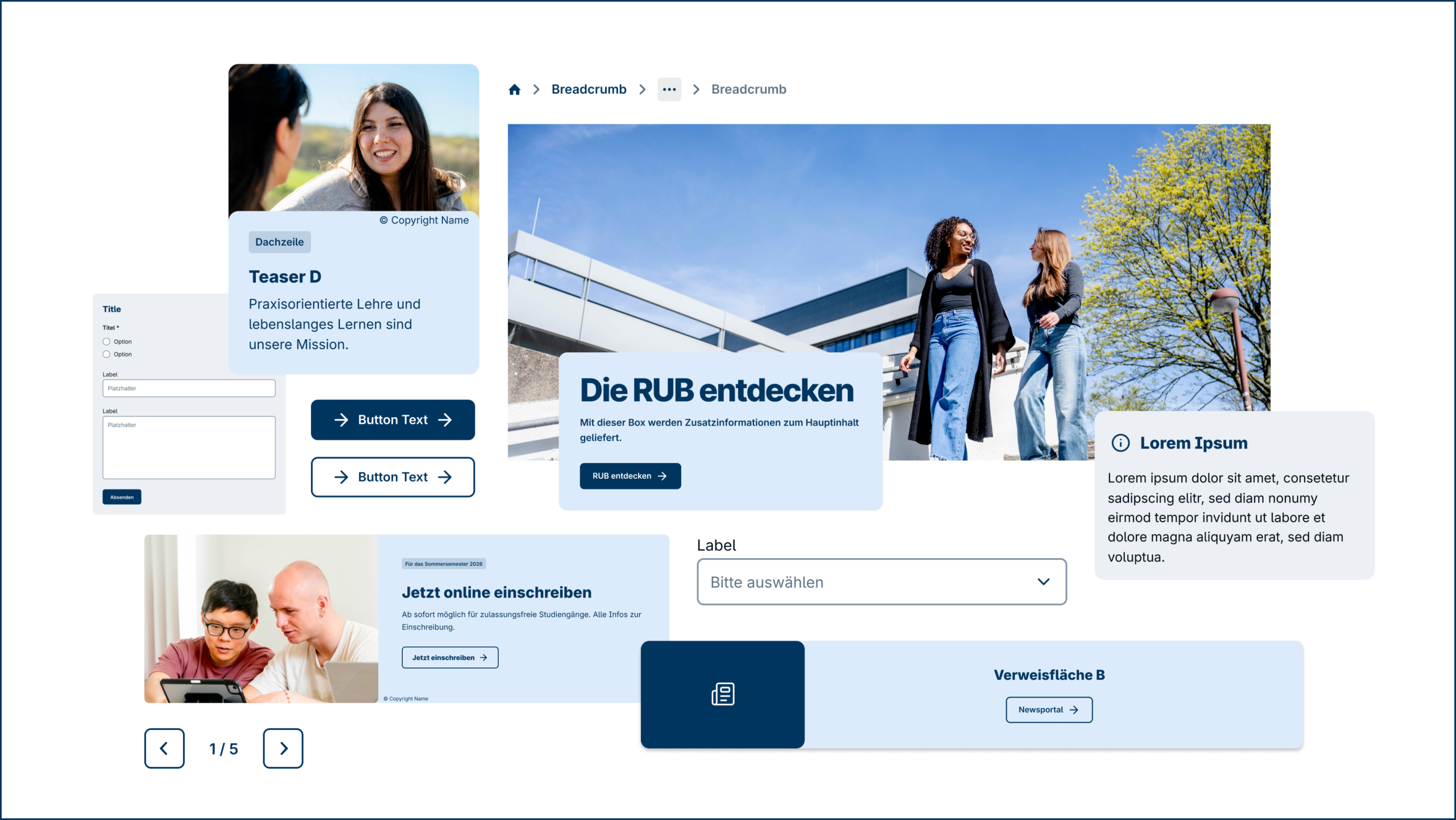
A Figma library is available for designing websites. It contains all key design components such as header, navigation, content modules, footer, and more. By using these components consistently, we ensure our digital platforms are instantly recognisable as RUB—helping users orient themselves right away.
There is currently no shared technical foundation for all RUB websites. The Figma library therefore serves as the design basis, independent of technical implementation.
Design Components
It includes all the key design components, such as the header, navigation, content modules, footer, and other elements.
Our design components build on one another. Small elements like buttons or icons combine into larger building blocks, such as navigation bars or card modules. These can then be assembled into complete page sections.
This principle is called nesting: smaller elements sit within larger ones, and all are interconnected. The benefit: when we update an element in one place, it automatically updates everywhere it’s used. This keeps the design consistent and makes changes efficient to implement.
Interface Icons
For user interfaces, we use the Lucide icon library (lucide.dev). It includes over 1,700 consistently designed icons for modern interfaces—covering navigation, actions, content, and functionality. The icons are clean, legible, and integrate seamlessly into digital applications.
Lucide is open source under the ISC licence. The icons are free for commercial and non-commercial use. The licence notice must be retained in the project’s source code; visible attribution in the interface is not required.
Important: For legal reasons, Lucide Icons may only be used for user interfaces; they may not be used for illustrations, infographics, or print materials.

Figma Access
(Request for Figma access: TBD)
When using Figma, keep the following in mind:
We do not process any internal or sensitive data; this tool is intended for use in web design and public relations and is recommended exclusively for these purposes.
We do not export code via Figma. Although it is technically possible to do so, the generated code does not necessarily comply with legal accessibility standards. Code for RUB web products must be accessible in accordance with the BITV 2.0 regulation.
Important! Disable AI features
When working with the Figma Library, AI features must be disabled. This prevents RUB design content from being used to train AI models.
Here’s how (for team admins):
- Also, disable “Content training” to prevent content from being used for AI training
- Open Figma and go to the File Browser
- In the left sidebar, select your team and click “All Projects”
- Click the arrow next to the team name and select “View settings”
- Go to the “Settings” tab and scroll to the “AI” section
- Turn off “AI features” using the toggle
See also: https://www.figma.com/legal/ai-terms/
If you are interested in using AI, the RUB recommends the following program: _https://ki-campus.org/lernangebote/kurse/ki-kompetenzen-der-hochschulverwaltung